Open the version history from the history icon next to an environment in Settings → Environments.
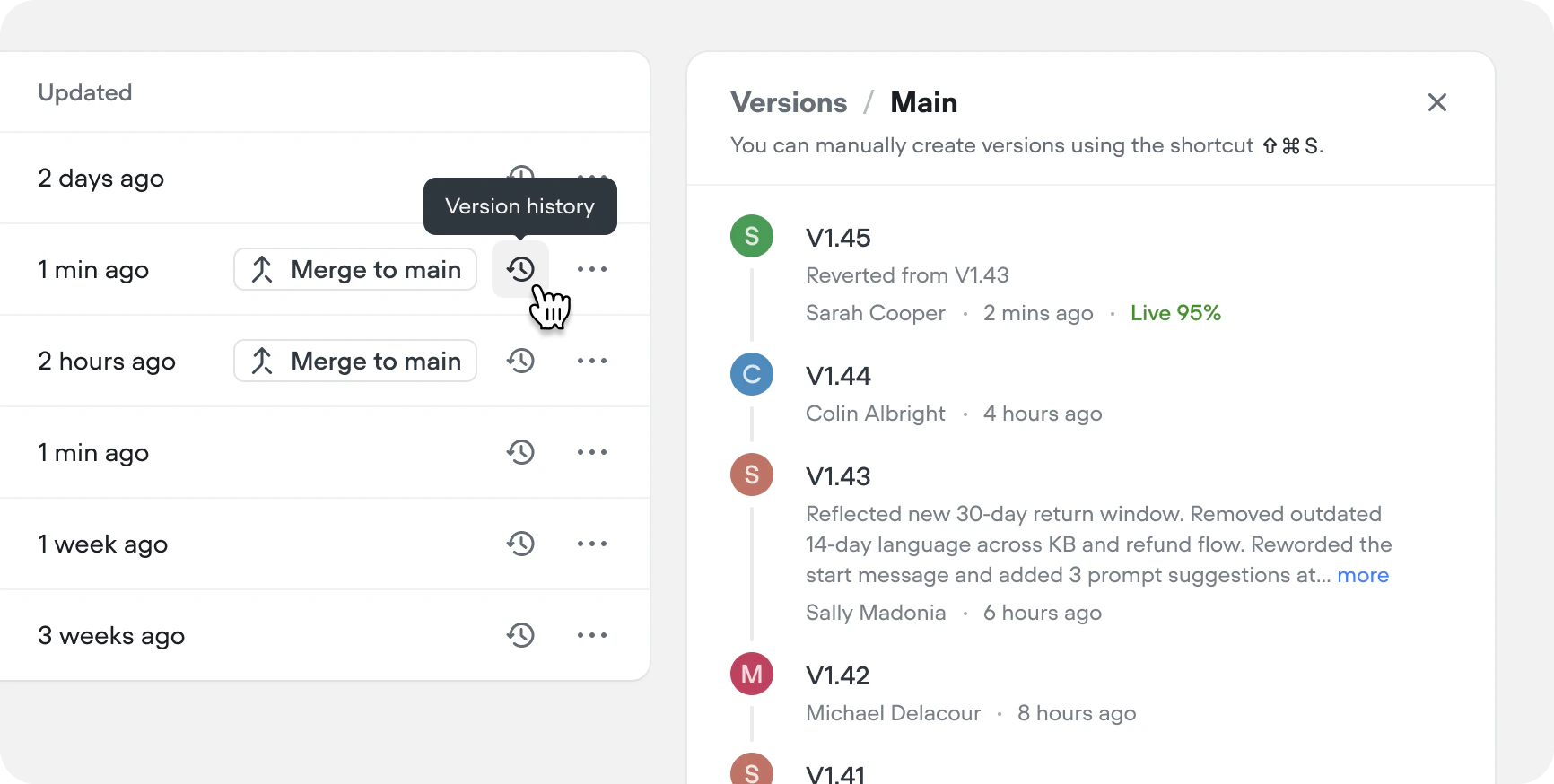 Each entry shows the version number, description, author, and publish time. The Live label marks the version your users currently interact with.
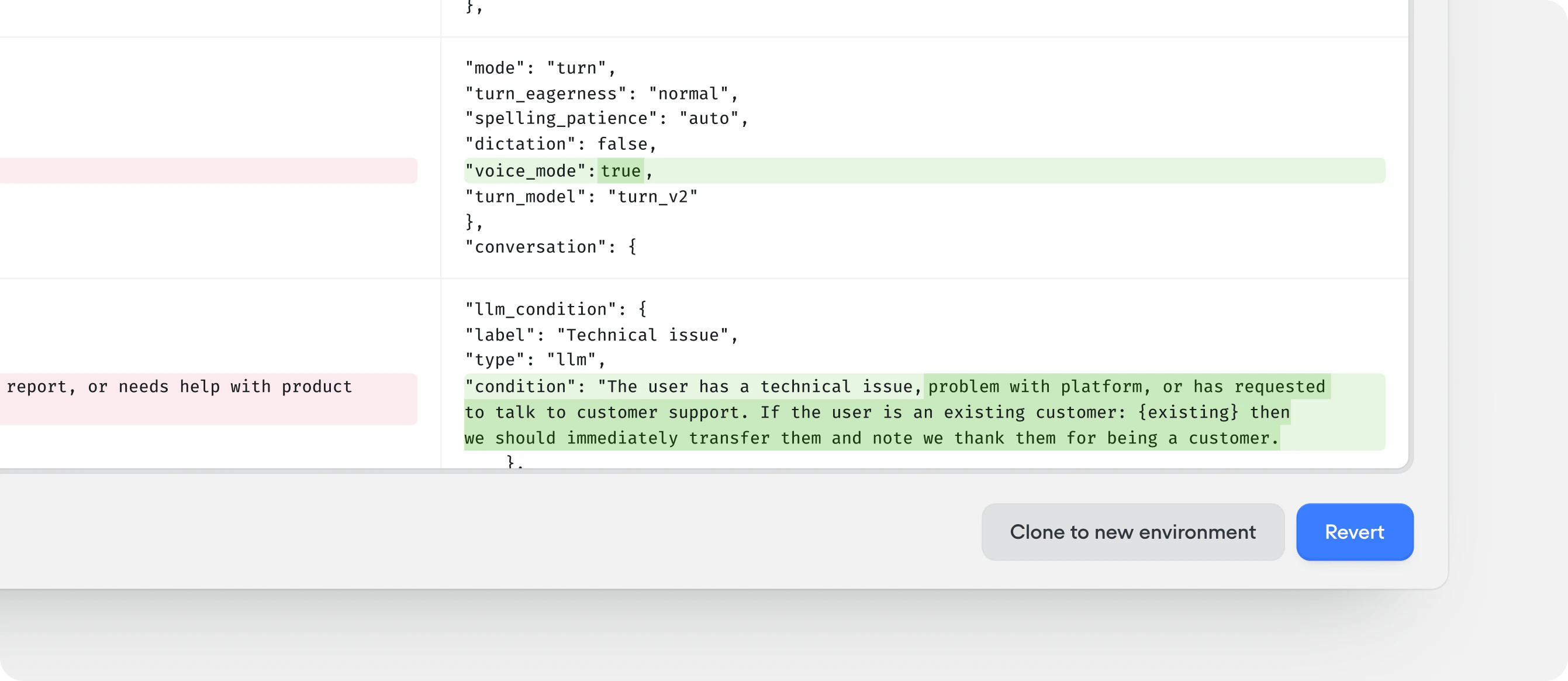
Click any version to open a comparison against the live version of the environment. From there you can:
Each entry shows the version number, description, author, and publish time. The Live label marks the version your users currently interact with.
Click any version to open a comparison against the live version of the environment. From there you can:
- Click Revert to make the selected version live again. A new version is added to the history with a description noting which version you reverted from.
- Click Clone to new environment to create a new environment starting from the selected version.
Reverting only affects the environment you revert on; other environments are unchanged.

